Turn your docs into a deck people will love
Your coding agent reads the repository's docs and writes one interactive HTML file: a pan-and-zoom map with clickable boxes, tabs, personas and a guided tour. Present it, press E to edit it, send it to anyone.
curl -fsSL https://blueprint-deck.lukasvecerka.dev/install.sh | shFree forever, MIT licence No account, no tracking Runs on your own agent subscription Nothing else to install
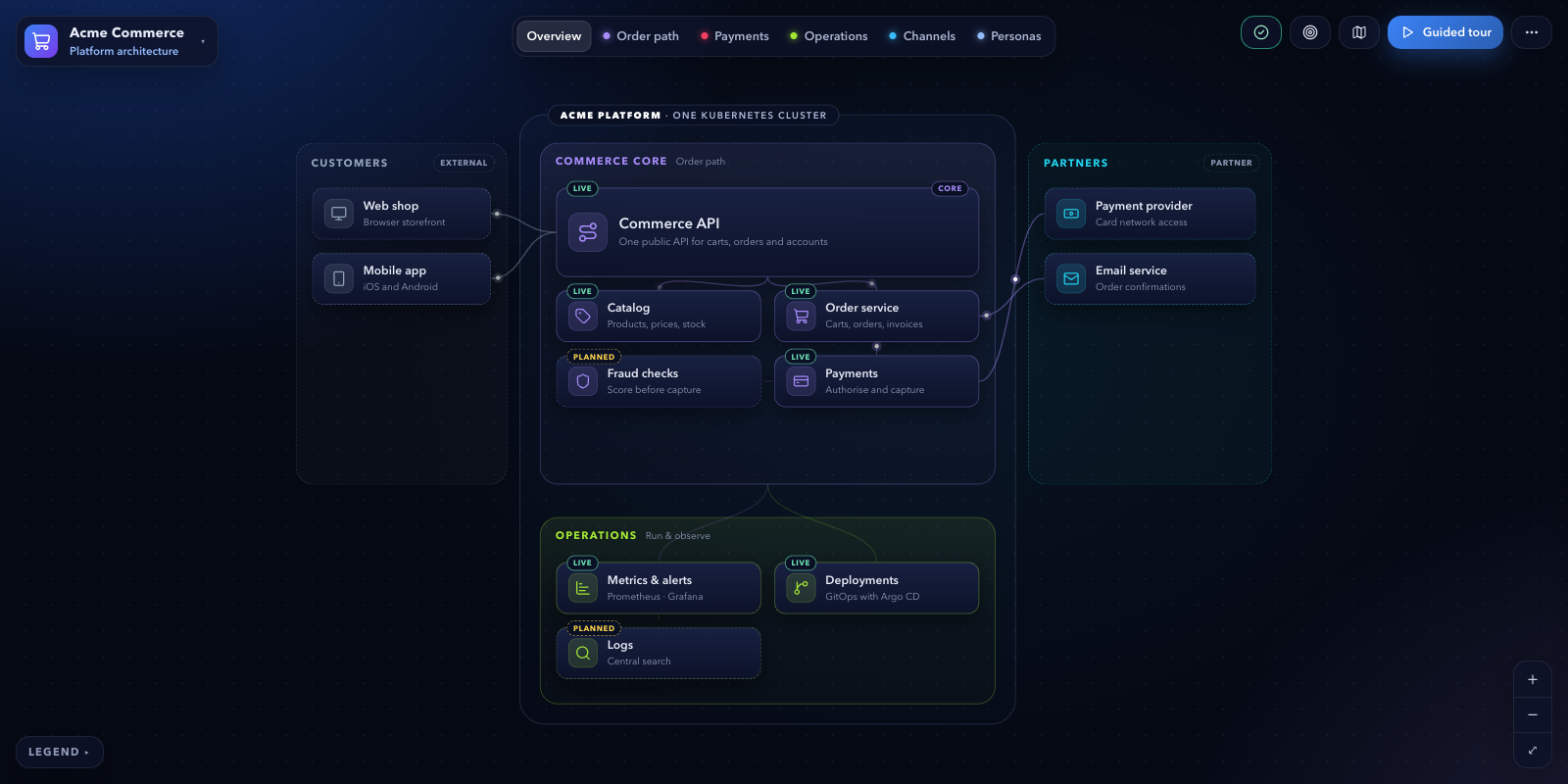
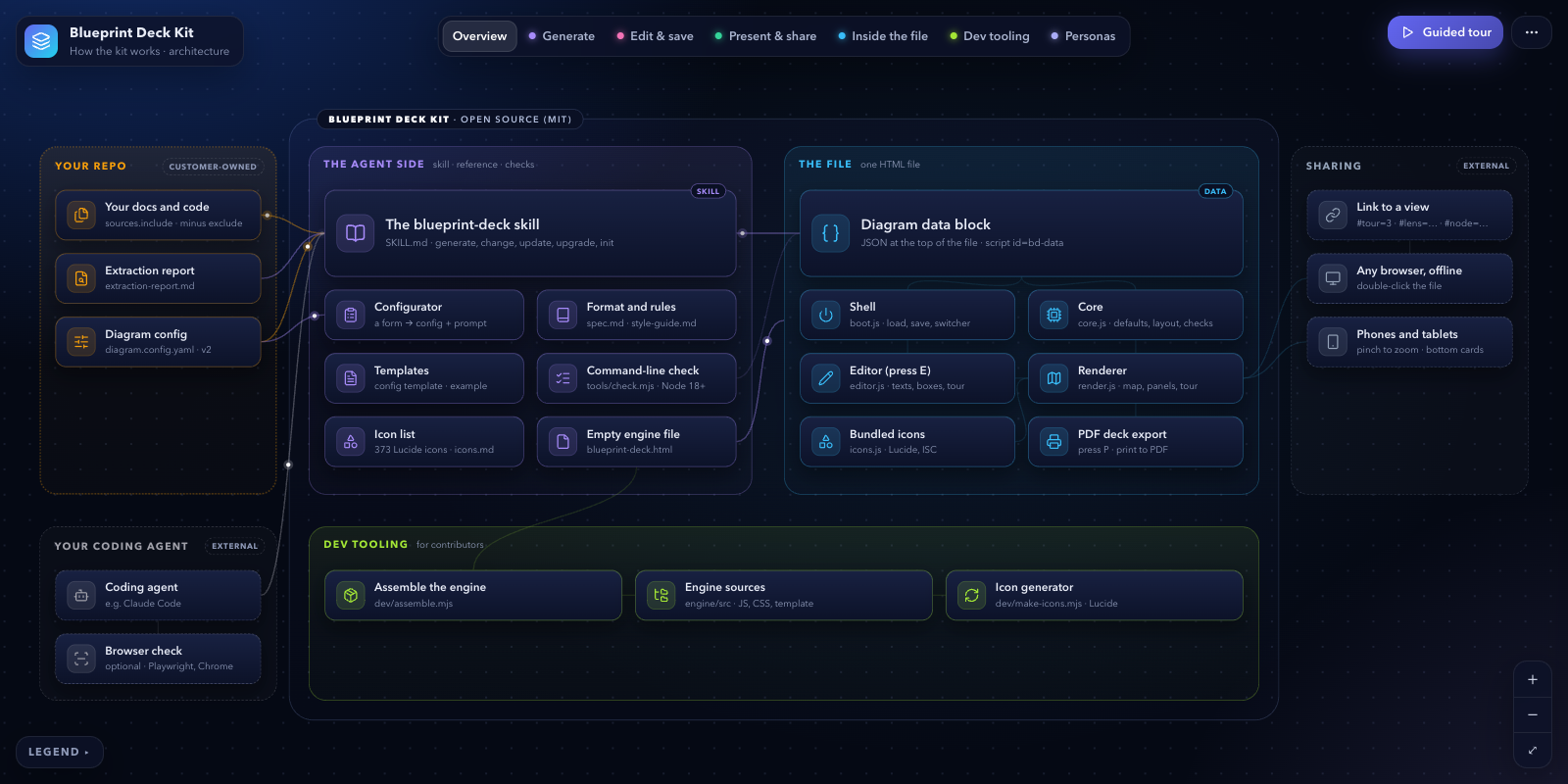
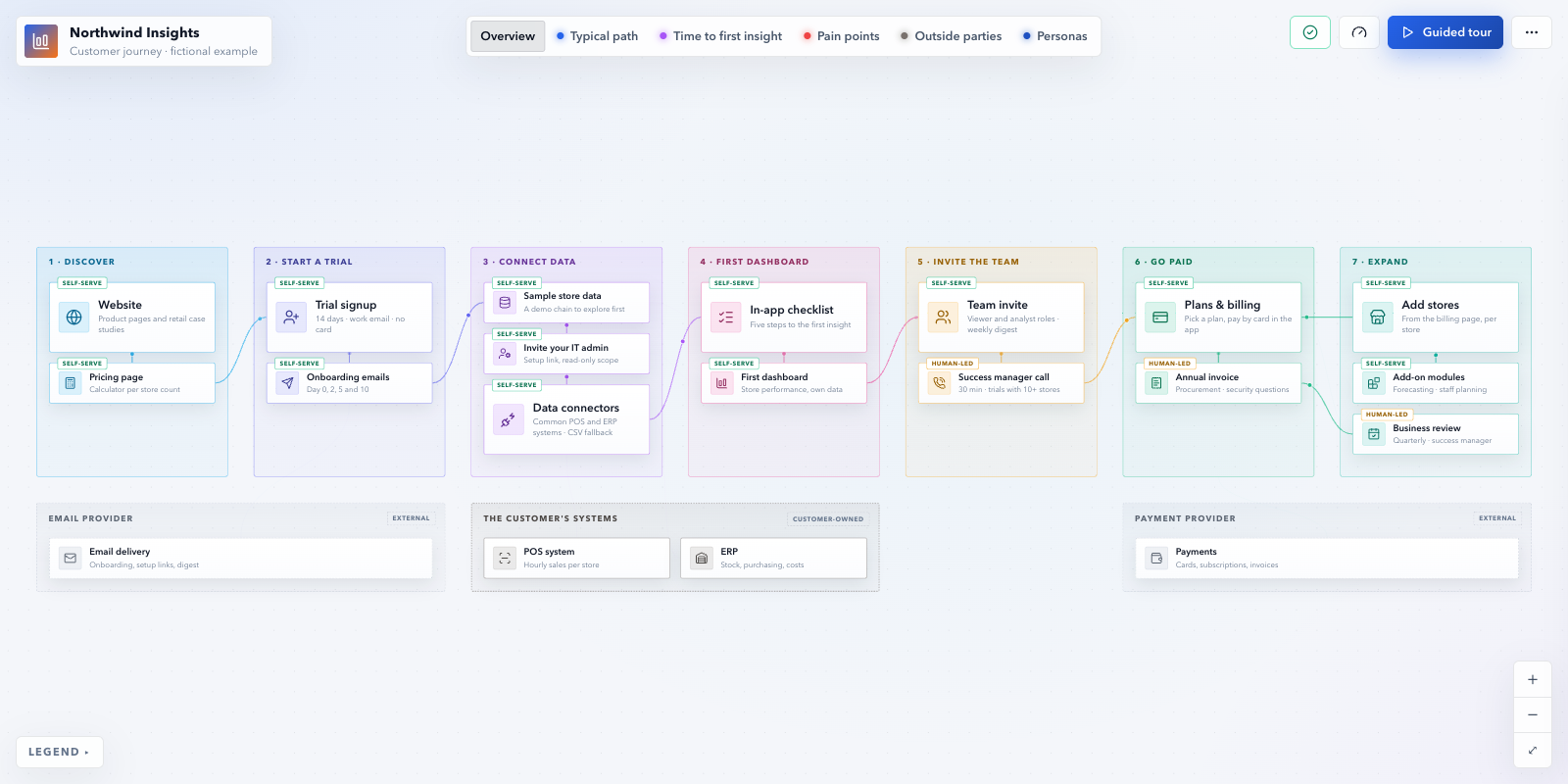
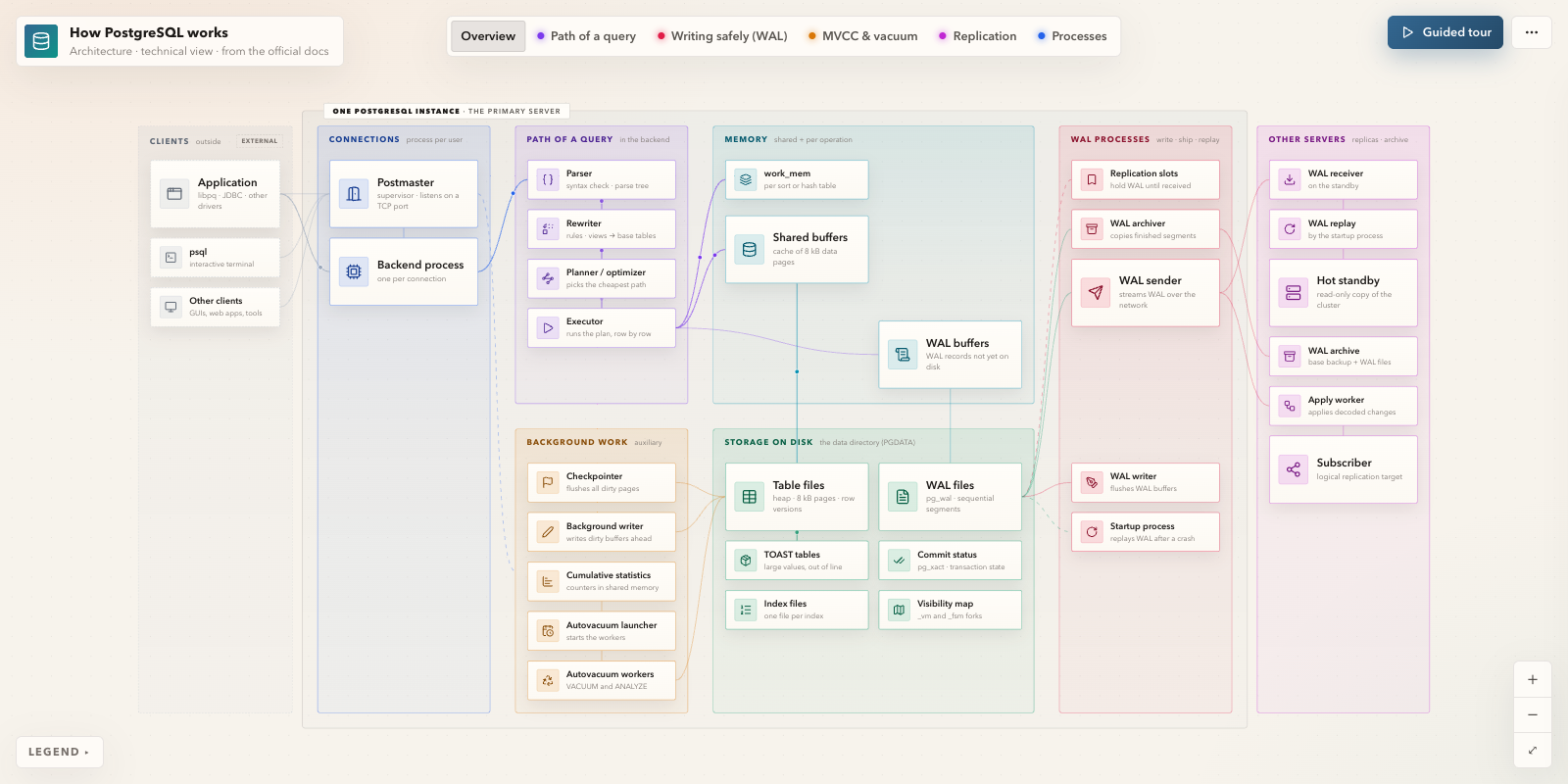
Live demo, the real file. Click a box, try the tabs, start the tour and use← →, or press E to edit.Open full screen
How it works
From docs to deck in four steps
The agent writes only the content (a JSON block). The engine is fixed, so every deck looks and behaves the same, and anyone can fix a text later without the agent.
- 1
Install the skill
One command copies the skill into your agents' skills folders. Nothing else to install.
curl -fsSL https://blueprint-deck.lukasvecerka.dev/install.sh | sh - 2
Describe your diagram
Pick the audience, viewpoint, map detail, personas, tabs and tour story in the configurator, then copy the prompt. It carries the whole config.
- 3
Paste it into your agent
In your repository. The agent reads the docs, proposes the structure, and writes diagrams/index.html plus an extraction report.
/blueprint-deck diagrams/diagram.config.yaml - 4
Present, edit, share
Open the file and present it. Press E to fix things, ask the agent for bigger changes, then share the file or host it.
←→EP
Features
A presentation, a map and a document in one file
Built from real presentation rounds: each feature exists because a presenter or a reviewer asked for it.
- Architecture blueprints
- Product blueprints
- Data flows
- Processes
- Customer journeys
- Ecosystems
- Org maps
A guided tour
Present it like slides with ← →. Each step zooms to the part of the map it talks about; roadmaps and option sheets fit right in.
Tabs and persona paths
Each tab highlights one question, like the request path or governance. Pick a persona and see its numbered path through the map.
Edit it in the browser
Press E to change texts, colours, logo, boxes, tabs and the tour. No agent, no rebuild.
One file, opens anywhere
A single offline HTML file: email it, host it, open it on a phone. Several diagrams in one file, and P for a PDF deck.
Your brand, your audience
Light and dark themes, your colours and logo. A product view for executives or a technical view for engineers.
Sourced, by any agent
Works with Claude Code, Codex and other agents. Every box cites its source, and a report lists conflicts and gaps in your docs.
Install
One command, then ask your agent
The skill is a folder: SKILL.md, the engine, the format reference and the style guide. The installer copies it into your agents' skills folders and does nothing else.
- Works with Claude Code, Codex and other Agent Skills agents
- Your agent runs locally with your own subscription
- Re-run the command to update,
--uninstallto remove
curl -fsSL https://blueprint-deck.lukasvecerka.dev/install.sh | shInstalls the skill for every agent it finds on your computer (~/.claude/skills, ~/.codex/skills, ~/.agents/skills). Add --project to install into the current repository instead, --uninstall to remove it. It only copies files; nothing else is installed. Read the script.
irm https://blueprint-deck.lukasvecerka.dev/install.ps1 | iexRun in PowerShell. Same behaviour as the shell script: every agent found, or pass-Agent claude|codex|agents|all, -Project or -Uninstall.Read the script.
curl -fsSL https://blueprint-deck.lukasvecerka.dev/install.sh | sh -s -- --agent claude& ([scriptblock]::Create((irm https://blueprint-deck.lukasvecerka.dev/install.ps1))) -Agent claudeInstalls into ~/.claude/skills/blueprint-deck. Start a new Claude Code session in your repository and paste the prompt from the configurator, or type /blueprint-deck.
curl -fsSL https://blueprint-deck.lukasvecerka.dev/install.sh | sh -s -- --agent codex& ([scriptblock]::Create((irm https://blueprint-deck.lukasvecerka.dev/install.ps1))) -Agent codexInstalls into ~/.codex/skills/blueprint-deck. Start a new Codex session in your repository and paste the prompt from the configurator, or ask: "Use the blueprint-deck skill to make a diagram of this repo".
curl -fsSL https://blueprint-deck.lukasvecerka.dev/install.sh | sh -s -- --agent agentscurl -fsSL https://blueprint-deck.lukasvecerka.dev/install.sh | sh -s -- --dir <your agent's skills folder>Same script. --agent agents installs into the shared ~/.agents/skills folder;--dir puts it anywhere. Agents without skill support can follow blueprint-deck/SKILL.md as instructions: tell them to read it first.
blueprint-deck/unzip blueprint-deck-skill.zip -d ~/.claude/skillsUnzip into your agent's skills folder, e.g. ~/.claude/skills/, ~/.codex/skills/,~/.agents/skills/, or .claude/skills/ inside a repository. The result is …/skills/blueprint-deck/SKILL.md.
FAQ
Questions
Do I need to install anything else?
No. The skill is a folder of instructions, the engine and references; the installer only copies files. Your agent writes the diagram, and the result is a plain HTML file that opens in any browser. No runtime, build tool or account is needed. (If Node happens to be installed, the agent also runs an optional check script with it.)
Where does my content go?
Nowhere. Your agent runs locally in your repository with your own subscription, and it reads only the sources your config lists. The generated file makes no network requests: no CDN, no fonts, no analytics. It works offline and from file://.
Can I edit the diagram without the agent?
Yes. Open the file and press E: edit texts, colours, theme and logo, move boxes, and change tabs, tour steps and personas. In Chrome and Edge the changes are saved into the file itself; in other browsers they are kept in the browser and you download the updated file. For bigger changes, ask the agent ("add a persona for the support team").
Can I share it?
It's one HTML file: email it, put it in a shared drive or attach it to a ticket. For a phone-friendly link, upload it to any static host (Cloudflare Pages, GitHub Pages, Netlify, an S3 bucket). Press P for a PDF deck when someone needs slides.
Which agents does it work with?
Any agent that supports Agent Skills (a folder with a SKILL.md), for example Claude Code and Codex. Agents without skill support can still follow SKILL.md as plain instructions: point them at the file.
More in the docs FAQ.
Describe your diagram in two minutes
The configurator turns your answers into a prompt for your agent. It runs in your browser; nothing is sent anywhere.
Free forever. If it saves you time, sponsor the project